
A tourism website converts when it does two things at the same time: it matches what travelers are searching for (keyword and intent) and it removes friction in the booking path (trust + clarity + fewer clicks). Travelers commonly search using location + experience phrases like “things to do in [city]” and “[activity] in [location],” plus mobile “near me” searches once they arrive.
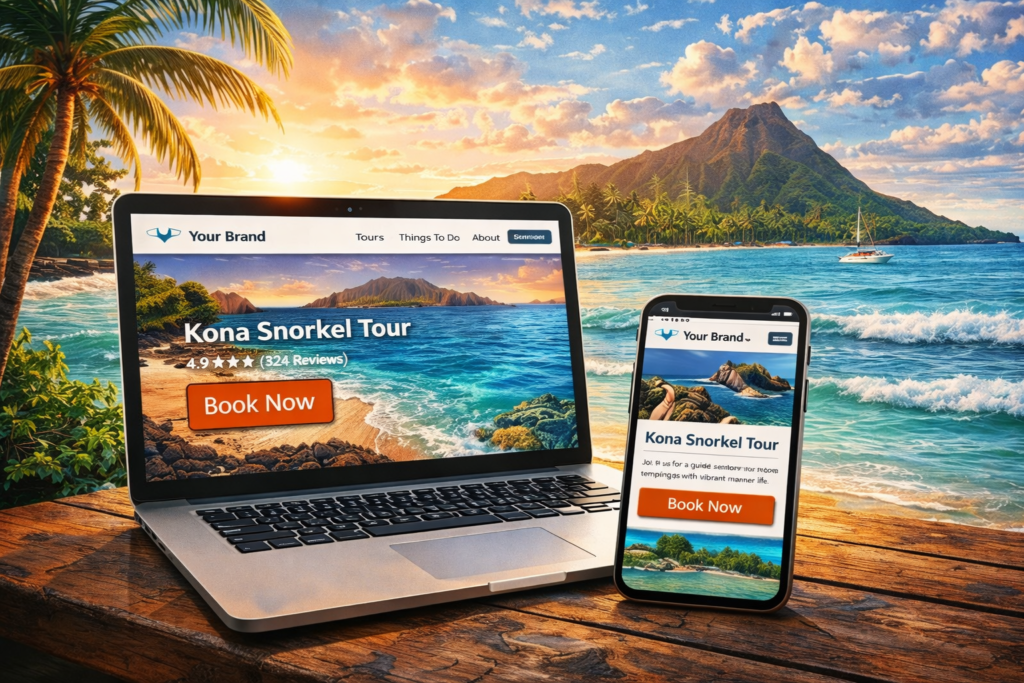
To rank tourism websites in Hawaii consistently, build one primary page per intent, write for humans first, and use clean on-page SEO (titles, snippets, descriptive URLs, internal links, and media context) to make the topic unmistakable.
Keyword plan: the searches that actually lead to bookings
If you run tours, activities, charters, rentals, or experiences in Hawai‘i, the highest-intent keywords usually fall into these groups:
1) Location + experience keywords (highest booking intent)
These pair an activity with a place, and they tend to align with purchase-ready intent.
Examples (swap in your island, town, and activity):
- [activity] in [location] (ex: “snorkel tour in Kailua-Kona”)
- [location] tours (ex: “Kona tours”)
- [tour type] [location] (ex: “sunset cruise Waikīkī”)
- [specific experience] [location] (ex: “manta ray night snorkel Kona”)
2) “Things to do” and itinerary keywords (top-of-funnel that feeds bookings)
These can be extremely powerful when you build a guide that naturally funnels into your tours.
This looks like:
- “things to do in [city]”
- “best things to do in [island]”
- “3-day itinerary [island]”
3) “Near me” and last-minute keywords (mobile conversion wins)
Many travelers search on their phones after arrival.
Examples:
- “[activity] near me”
- “tours near me”
- “last minute [activity] [location]”
Map keywords to pages so you rank without cannibalizing
Don’t target the same intent across multiple pages. Assign close keyword variants to the single best page, then support it with internal links.
| Page you build | What it should rank for | Why it converts |
|---|---|---|
| Home page | Brand + “tours in [region]” | Fast path to categories, trust, reviews |
| Tour category page | “[activity] tours in [location]” | Helps visitors choose quickly |
| Individual tour page | Specific tour keyword | One clear offer, one clear CTA |
| “Things to do” guide | “things to do in [location]” | Captures research traffic and funnels into tours |
| FAQ / policy page | “cancellation policy,” “what to bring,” etc. | Removes hesitation right before booking |
Build the booking path like a conversion funnel (not a brochure)
Tourism sites lose sales when the booking path is hard to find, confusing, or too click-heavy.
Use this structure:
Above the fold (first screen)
- A clear headline: what it is + where + who it’s for
- 1 primary CTA button (example: “Check Availability” or “Book Now”)
- Social proof near the CTA (review count, rating, or short testimonial)
FareHarbor’s own integration guidance emphasizes a clear call-to-action on every page where you want bookings.
The “decision section” (right after the fold)
- Price range or “from $X” (if you can)
- Duration, start times, meeting point area, what’s included
- 3–5 bullets that reduce uncertainty (“Small groups,” “Free cancellation,” “All gear included,” etc.)
The “confidence section”
First-time visitors need trust signals before they commit. Common failures are missing cancellation/refund details, missing contact info, and weak payment/security reassurance.
Action items:
- Show cancellation policy in plain English near the booking area (not hidden).
- Put contact info where it’s easy to find.
- Display reviews on the page (not only on travel agency sites).
Write your tour pages for humans first, then let SEO clarify the topic
Your content should answer questions quickly, be scannable, and include enough detail to remove doubt.
A tour-page outline that ranks and converts:
H2: Quick summary (2–4 sentences): Say who it’s for, what they’ll do, and what makes it special.
H2: What’s included: Bullets – Keep it clean and easy to understand.
H2: What the experience is like (timeline): Short blocks: arrival, safety, main moments, return.
H2: Meeting point and what to bring: This is a major conversion lever in Hawai‘i because travelers worry about parking, timing, ocean conditions, and what’s allowed or required.
H2: FAQs: Short, direct answers.
H2: Book now: Repeat the CTA after you’ve built trust.
Avoid repeating the same keyword over and over. Keyword stuffing hurts the experience and is a known spam pattern.
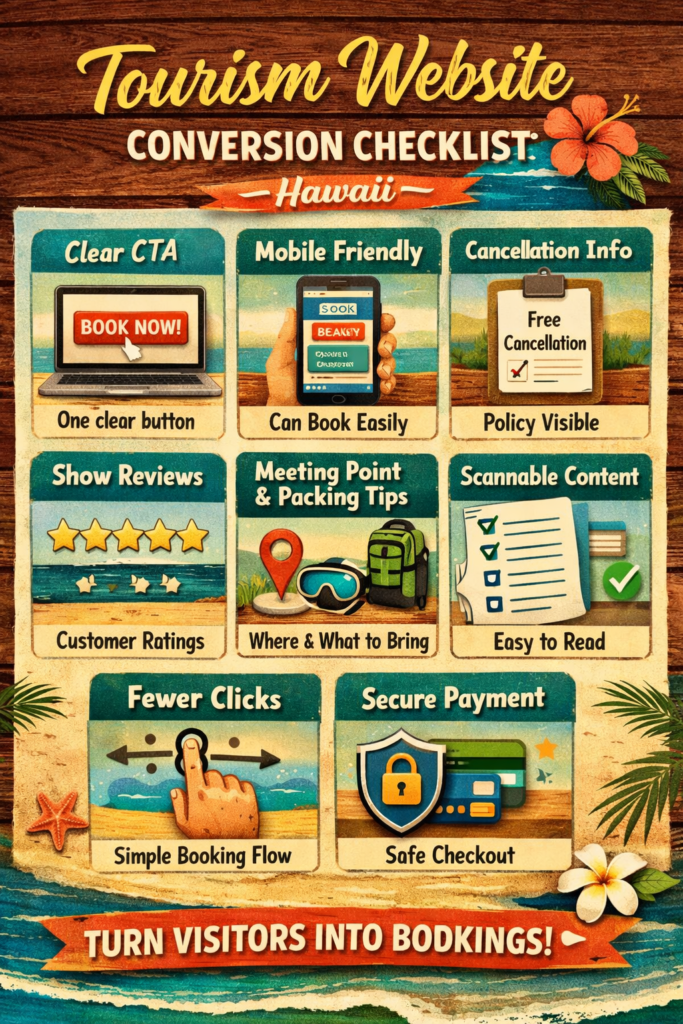
Conversion checklist (copy and paste)
Use this as your build or audit list:
- One primary CTA per page (“Check Availability” or “Book Now”)
- Booking button visible on mobile without scrolling
- Cancellation policy visible near booking (not hidden) X
- Reviews shown on key pages (category + tour pages)
- Simple navigation and fewer clicks to purchase
- Clear meeting-point info and what-to-bring bullets
- Internal links that describe what they point to (not “click here”)
- Scannable formatting: short paragraphs, headings, and bullets
FAQs
Should I target “things to do” keywords if I only want bookings?
Yes. “Things to do” pages are often a strong discovery channel, especially when you funnel visitors into specific tours with clear internal links and CTAs.
What’s the best keyword format for a tour page?
Usually [activity] + [location] or [tour type] + [location], because it matches how travelers search and clarifies intent.
Where should the cancellation policy live?
On the tour page near the booking area, plus a dedicated policy page for details. Clear cancellation info reduces anxiety and can reduce drop-offs.
Do I need a blog if I already have tour pages?
Not required, but “Things to do” guides and itinerary posts can earn links and capture research traffic that feeds direct bookings.
How do I avoid pages competing with each other?
Assign one primary keyword intent to one primary page, and consolidate close variations instead of spreading them across multiple URLs.
What’s the fastest conversion improvement on most tour websites?
Make booking easier to find and reduce clicks, especially on mobile.
Do I need to worry about titles and snippets?
Yes. Google can use your title element and page content to generate what searchers see, so write clear, accurate titles and open your content with a direct answer.
What should I measure first after publishing?
Use Search Console and analytics to check which queries trigger impressions, then add FAQs and refine the title/meta if click-through rate is low.
Do you want to get clients from your website?
If you run a tour or tourism business in Hawai‘i and want more bookings we can audit your current site’s current SEO and booking flow, then give you a clean priority list to fix what’s costing you sales, completely free. This is the same “rank + convert” workflow I use when building pages: clear intent, scannable content, strong CTAs, and trust where it matters. If this sounds like something your interested in, please book a short & free consultation with us here: https://calendly.com/primilink/free